Select a Topic

Click or tap a subject below to get more information about your cardiac device.
Section One

Get to Know Your Cardiac Monitor

Section Two

Guides & Instructions

Monitor Hookup

Proper skin preparation is critical

Take care in preparing your skin for application of the electrode patch. Good skin preparation means better ECG signal traces that, in turn, are easier for your doctor to review and evaluate.

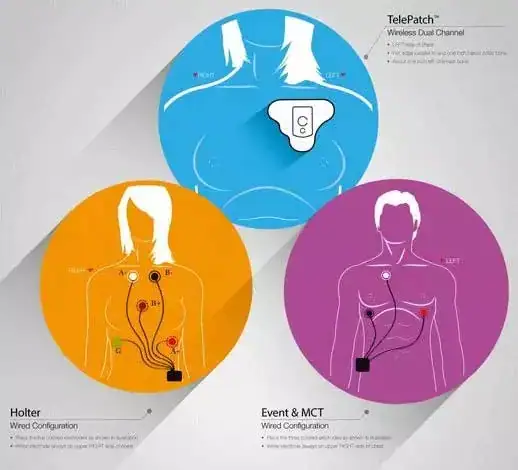
  • Using the illustration as a guide, find the area(s) of your chest where the electrode patch(es) will be applied.
  • Shave the area(s) if hair is present using the electrode patch as a guide for the size of the area to shave. This ensures good contact and makes the electrode patch(es) easier to remove.
  • Wash the area well with PLAIN soap and water, and then dry thoroughly. You should not use soap that contains lotion, oil or fragrance.

Frequently Asked Questions

Browse our FAQs about cardiac monitoring, event/mobile cardiac telemetry, and billing/insurance.

Cardiac Monitoring

What should I expect with my Event or MCT procedure?
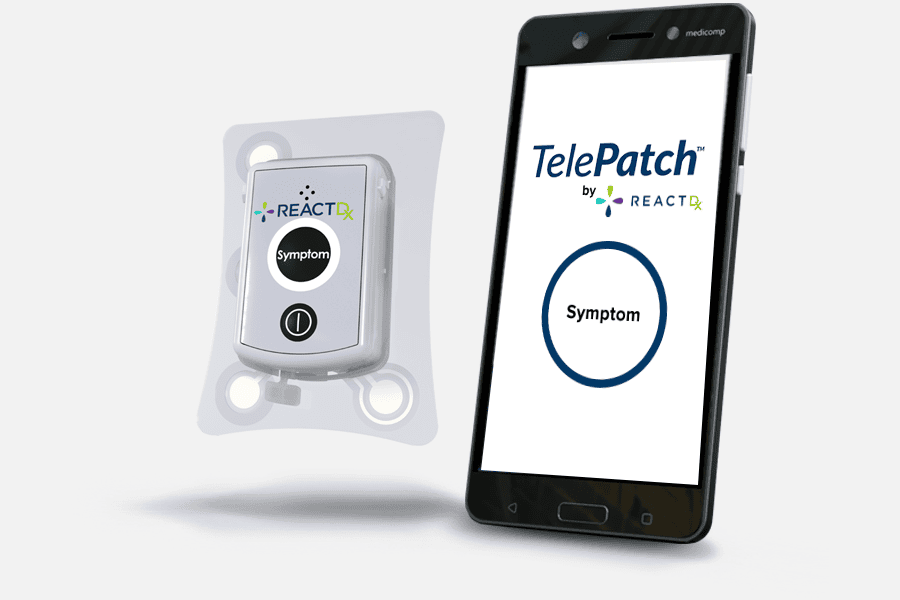
It’s easy! You may be hooked up in your doctor’s office, or your doctor may order a monitor kit shipped to your home, where you will hook up yourself.* In either case, you will follow your doctor’s instructions and refer to the Quick Start Guide included in the monitor kit and the online video for your monitor type. You’ll wear your monitor continuously for the number of days your doctor prescribed. Whenever you feel a symptom, you will press the Symptom button on the device and log an entry in a diary. At the end of your procedure, promptly return the equipment to React Diagnostics. Then, you will follow up with your doctor to discuss the results.

*If your doctor prescribed a TelePatchTM monitor (comes with a smartphone) and it is being sent to your home, please see our Self-Hookup What to Expect brochure for Event and MCT procedures.
What should I expect with my Holter or Long-Term Holter procedure?
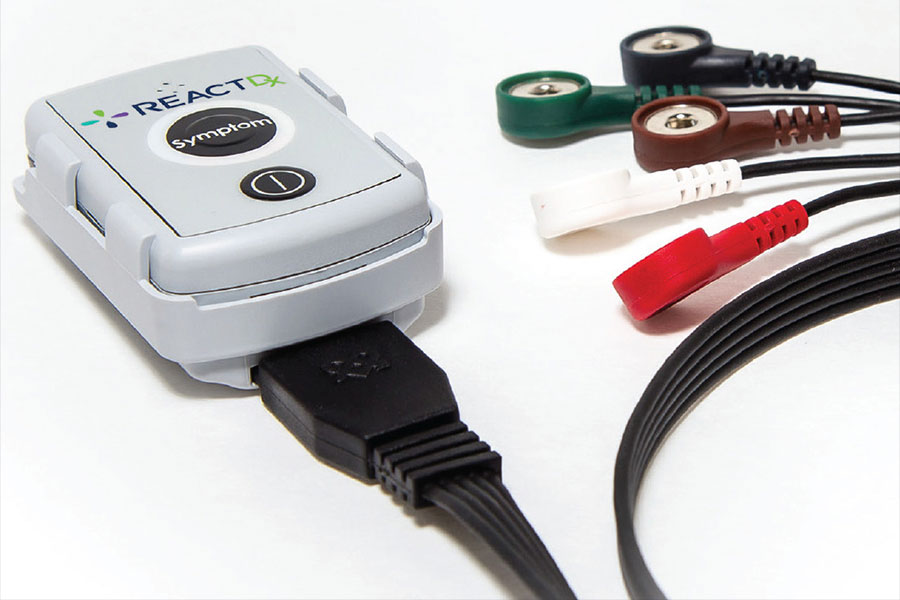
It’s really easy! Holter tests are normally prescribed for one or two days, while Long-Term Holter tests are for three to 14 days. In either case, you will be hooked up in the doctor’s office or hospital, and then sent home. You wear the monitor continuously for the number of days prescribed. Whenever you feel a symptom, you press the Symptom button on the device. The Holter monitor is always recording your heart’s electrical activity (ECG), but when you press the Symptom button you mark certain recordings for your doctor to especially review. It’s important to keep a diary of your symptoms, including what you felt, the date and time, your location, and what you were doing. At the end of your procedure, promptly return the equipment along with your diary to your doctor’s office.
What is an ambulatory cardiac monitor?
Simply put, ambulatory cardiac monitors are medical devices that measure the electrical activity of your heart to determine if any cardiac irregularities exist. Prescription-grade ambulatory cardiac monitors come in three main types: Holter, Event, and Mobile Cardiac Telemetry. Your doctor will prescribe the type of monitor she believes is best for you.

You can rest assured that your doctor chose the best monitor for you. Due to patented, highly advanced technology, React Diagnostics’ monitors have proven to deliver more clinically significant data to your doctor and deliver it faster than any other ambulatory cardiac monitor available.
How do they work?
Cardiac monitors record and transmit your heart’s electrical data. These recordings are uploaded to React Diagnostics’ Cardiac Monitoring Centers for analysis by highly trained, certified cardiac technicians, who, in turn, create reports for your doctor to interpret. Please refer to your patient guide for more information.
Why do I have to wear this cardiac monitor?
Your doctor ordered this monitor to make ECG recordings of your heart, which in turn can help diagnose any heart irregularities, called arrhythmias. Your doctor can’t treat you effectively without a good diagnosis, and he has determined that he needs to see the results of this procedure to help him in that diagnosis.
How long do I have to wear the monitor?
If you are prescribed a Holter monitor, it is typically worn for 1-4 days. If you are prescribed an event or mobile cardiac telemetry monitor, it is worn for a longer term, typically 30 days. But your doctor will determine the specific length of time you should wear the monitor.

It’s critical that you follow your doctor’s orders and wear the monitor day and night for the full number of days your doctor prescribed. Your React Diagnostics monitor is designed to uncover possible arrhythmias you may not be aware of, and it needs to be worn continuously for the full length of the procedure so it may capture arrhythmias that may appear only rarely, with or without symptoms.
What is an ECG?
ECG stands for electrocardiogram. It is a recording of the electrical activity of your heart. Your doctor can use an electrocardiogram to look for patterns in your ECG that can help to diagnose various arrhythmias.
What is an arrhythmia?
An arrhythmia is a condition in which the heart beats with an irregular or abnormal rhythm. Some arrhythmias are harmless; others may indicate serious threats to your health.
Do I wear the monitor while I sleep?
Yes. The monitor can detect possible arrhythmias and make recordings on its own – even while you’re sleeping.
Can I continue my active lifestyle?
Generally, yes, but follow your doctor’s instructions. This monitor is meant to go with you as you go about your daily routine, including exercising and most of your regular activities.
Can I wear the monitor while bathing or swimming?
You should not swim or otherwise soak any of our monitors under water. Whether you may shower depends on the monitor you have.

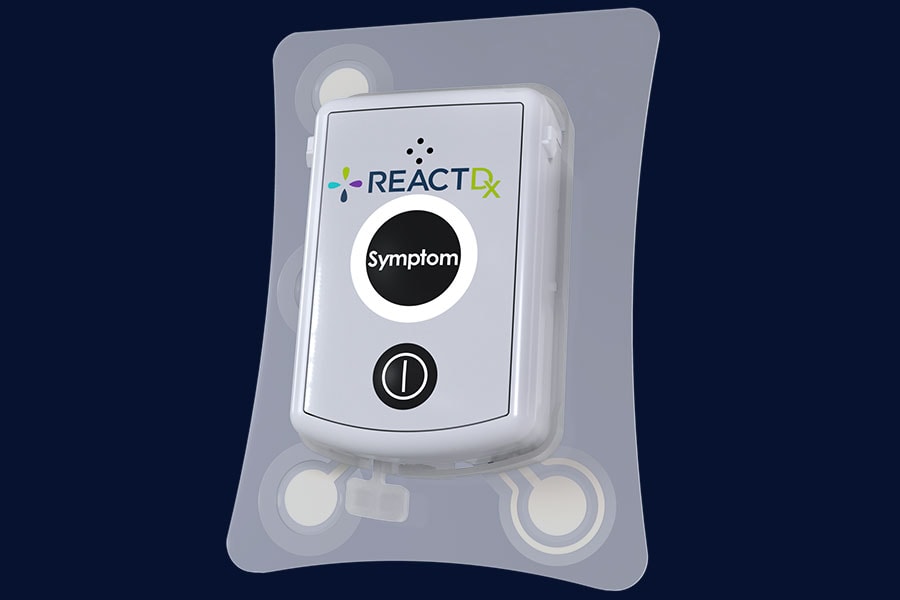
TelePatch: The TelePatch Pendant and Electrode Patch are water resistant. They are designed to withstand brief periods of wetness, such as in light rain or while showering. You can and should wear TelePatch — and keep it turned on — while showering. The handset, however, is NOT water resistant. Avoid any moisture from coming in contact with the handset. If the handset get wets, please call us. You may need a replacement.

All Other Monitors: All other monitors, including pendants and smartphones, are NOT water resistant and should not get wet. Avoid any moisture from coming in contact with the devices. You should wear the Pendant on the outside of your clothing if there is a chance perspiration could come in contact with it. If your devices get wet, please call us. You may need a replacement.
What should I do if the electrodes are irritating my skin?
All React Dignostics electrode patches are hypoallergenic. Minor skin irritation is normal while wearing any electrode. When re-applying electrodes, change their location slightly to lessen skin irritation. If you experience excessive irritation that may interrupt your procedure, please call us for assistance at 877-996-5553.
How do I find out the results of the test?
Your doctor can share the test results with you.
I think something’s wrong with the monitor. What do I do?
Check the Troubleshooting section of this website or call us for assistance at 877-996-5553.
What should I do with the monitor when I’m done?
If you have a Holter monitor, return the monitor to your doctor. If you have any other type of monitor, please send the monitor back to React Diagnostics in the postage-paid envelope provided in your kit. It is important to send back all hardware and unused accessories upon completion of your procedure. All equipment is the property of ReactDx. You may be invoiced for unreturned items.
What is your privacy policy?
View our full website and patient privacy policies by clicking here.

Event & Mobile Cardiac Telemetry

What should I expect?
It’s easy! You may be hooked up in your doctor’s office, or your doctor may order a monitor kit shipped to your home, where you will hook up yourself. In either case, you will follow your doctor’s instructions and refer to the Quick Start Guide included in the monitor kit and the online video for your monitor type. You’ll wear your monitor continuously for the number of days your doctor prescribed. Whenever you feel a symptom, you will press the Symptom button on the device and log an entry in a diary. At the end of your procedure, promptly return the equipment to React Diagnostics. Follow up with your doctor to discuss the results.

If your doctor prescribed a TelePatchTM monitor (comes with a smartphone) and it is being sent to your home, please see our Self-Hookup What to Expect brochure for Event and MCT procedures.
When should I press the Symptom or Record/Send button?
Whenever you feel a symptom you believe could be related to your heart. For example: shortness of breath, dizziness, pain, weakness, etc. Follow your doctor’s orders for when you should make recordings.
What if I don’t have symptoms every day?
Many patients do not have symptoms every day, but you should continue to wear the monitor every day because it can detect possible arrhythmias and make recordings on its own – even when you don’t feel any symptoms.
What should I do if I accidentally press the Symptom or Record/Send button?
Do not worry about accidental Symptom button presses. We purposefully make it easy for patients to start an ECG recording by making the Symptom button easily accessible and easy to press. It is important to make a recording whenever you feel a symptom, so we don’t want anything hindering you from doing so. Our cardiac technicians can distinguish accidental recordings from others, so there is no reason to worry about them.
Why does the smartphone screen go blank/turn black?
The Smartphone conserves its internal battery by “going to sleep” and turns its display screen off. Wake it up by pressing any button on the Smartphone. The monitor continues to function while it’s in sleep mode.
How do I know if the monitor is working?
When you see the word Monitoring on the Smartphone screen, the monitor is working. Remember, you may have to press a key on the Smartphone to wake it up if the screen has gone blank.
How do I know if the monitor is within range of the cellular network?
Check to see if 3G is displayed in the upper-right corner of the Smartphone screen. If 3G is displayed, you are within range. If, instead, you see a small icon of an antenna (looks like a tiny funnel), you may be out of range.
How often should I change the batteries in the Pendant?
Remove the depleted battery and replace with the charged battery. Be sure to place the depleted battery in the included charger so it will be ready when the new battery is low.

The Smartphone will indicate when the Pendant batteries need to be changed. Look for the percentage of battery power available next to the Pd Batt. Change the battery when the Pd percentage reaches 5%. But if it is at 15% or below when going to bed, change the battery so that it does not run out of power while you’re sleeping.
How often should I charge the Smartphone?
We recommend charging the Smartphone daily. Charging on a night stand while you’re sleeping is a good practice. The Smartphone will indicate when it needs to be recharged. Look for the percentage of power available next to SP Batt. Recharge the Smartphone when the SP percentage reaches 20%.

Insurance & Billing

Will my insurance pay for this test?
While this test is covered by most insurance, including Medicare, you’ll be responsible for any co-pays or deductibles. Our friendly billing team is available if you have any questions about insurance or billing. Call toll-free: (800) 390-2439.
Am I billed every time I press Record/Send?
No. Your test is billed as a set-term diagnostic procedure, regardless of how many recordings you make, or how many days your doctor prescribed the procedure length, or how many days you actually wear it.

Troubleshooting Your Device

Lorem ipsum dolor sit amet, consectetur adipiscing elit. Ut elit tellus, luctus nec ullamcorper mattis, pulvinar dapibus leo.

Issue

Resolution

“Searching for Pendant” Displayed on Smartphone/Handset

The Pendant and Smartphone/Handset are not communicating with each other. Please note, while in this condition, the battery life on both devices will be severely impacted.

  • Make sure the Pendant and Smartphone/Handset are within 10 feet of each other.
  • Make sure the Pendant is turned on. You may have turned it off accidentally or forgot to turn it on after replacing its battery.
  • Turn the Smartphone/Handset off and then back on.

After trying the actions above, if this message remains after 15 minutes, call us at (877) 996-5553.

“Auto Capture Suspended” Displayed on Smartphone/Handset

This message may appear from time to time throughout your procedure.

  • Wait for one hour. The message should clear within an hour.
  • During this period, manual recordings can still be made. If you experience a symptom, press the Record/Send or Symptom button.
  • If, after waiting one hour the message still appears, turn the Smartphone/Handset off and then back on.
“Manual Mode: Action Required” Displayed on Smartphone/Handset

The monitor is unable to capture your ECG.

  1. Turn the Pendant off for three minutes.
  2. Dry the Pendant contacts and inside of Cradle.
  3. Remove and reinsert the cable (wired electrodes only).
  4. Press all over patch(es) to remove air bubbles.
  5. Turn the Pendant back on.

If this message persists, call the CMC at (877) 996-5553.

“Call CMC or CALL 911” Displayed on Smartphone/Handset The Right Soft Key under Call was pressed accidentally. Press the Right Soft Key and the message should disappear.
“BT or ECG DATA” is Flashing on the Smartphone/Handset This indicates normal communication between the Pendant and Smartphone. They will flash frequently. The blue ring on the Pendant will flash in tandem.
Smartphone/Handset Won’t Turn On or Off

Please keep the Smartphone/Handset powered on. There’s usually no need to turn it off except when troubleshooting.

  • Try pressing and holding the Power button on the Smartphone/Handset until you see activity on the screen, then let go. See the Quick Start Guide included in the kit for the location of the Power button.
  • If it still will not turn on or off, call the CMC at (877) 996-5553.
Smartphone/Handset Not Holding Charge

After a full recharge, the Smartphone/Handset should remain charged for 8-12 hours. Please note, however, that battery life will be shortened in both the Smartphone/Handset and the Pendant when the two devices are not within close proximity to each other.

  • Make sure the Smartphone/Handset is being charged daily for at least four hours.
  • Keep the Smartphone/Handset and the Pendant within close proximity (10 feet) of each other to prevent loss of Bluetooth connection, which can severely impact battery life.
  • Make sure the electrical outlet where the charger is plugged is working and is not controlled by a switch that’s turned off.
  • Try plugging the charger into a different outlet.
  • Make sure the charger is inserted into the Smartphone properly.
  • If you continue to experience this issue, call the CMC at (877) 996-5553.
Smartphone/Handset Screen Stuck or Phone Unlocked
  • Turn the Smartphone/Handset off, wait 30 seconds and turn it back on
  • If the issue persists, call the CMC at (877) 996-5553
Pendant Won’t Turn On
  • Make sure the battery is inserted correctly (flat end toward the spring).
  • Make sure the ribbon is not covering the contact or spring in the Pendant’s battery compartment.
  • Press and hold the On/Off button for about two seconds. Listen for the tones.
  • If it still will not turn on, call the CMC at (877) 996-5553.
Pendant Beeping
  • The Pendant will beep when the Record/Send button is pressed either on the Pendant or on the Smartphone.
  • The Pendant will beep when the On/Off button is pressed.
  • The Pendant will beep every 5-15 minutes when its battery is low. Change the battery. (Note: If the battery is too low, the Pendant will make a solid beeping tone three times and turn off. After replacing the battery, remember to turn the Pendant back on.)

How to Return Your Device

The monitoring system prescribed by your doctor is an FDA regulated medical device, and it is on loan to you. You must return it to Pivotal Health promptly upon completion of your procedure. A postage-paid return mailer is included in the monitor kit for your convenience.

  1. Place all monitoring equipment and any unused accessories back into the monitor kit
  2. Place the kit in the postage-paid return mailer (included in the kit) and seal it
  3. Place the mailer in your mailbox or any USPS dropoff location for pickup